
ActivatedRoute is a service, that provides route-specific information associated with a component that is loaded in an outlet. We use it to find Route Parameters, Query Parameters, URL Fragments, Static Data attached to the Route, Route Configuration that is matched this route, and ActivatedRoute instance of the root, parent, firstChild, and all children components, etc
To use ActivatedRoute, first, we must inject it into the component class.
The ActivatedRoute is part of the Router Module in Angular. Hence we import it.
import { ActivatedRoute } from '@angular/router';
Then we inject it into the component using the Dependency Injection system in Angular.
constructor(private activatedRoute: ActivatedRoute) {
}
That’s it.
The following are the properties of ActivatedRoute
Let us see each one of them in detail using Example
The ActivatedRoute Example Application displays a list of Products and their details to demonstrate the use of ActivatedRoute. The complete code is listed below. You can also view it from StackBlitz
This code is the starting point. We will look at each parameter in detail
app.component.ts
import { Component } from '@angular/core';

@Component,({
  selector: 'my-app',
  template: `

  <h1>ActivatedRoute</h1>

  <ol>
    <li>
      <a [routerLink]="['products']" >Products</a>
    </li>
    <li><a [routerLink]="['/']">Home</a></li>
  </ol>

  <router-outlet></router-outlet>

  `,
})
export class AppComponent {}
export class Product {
  constructor(productID: number, name: string, price: number) {
    this.productID = productID;
    this.name = name;
    this.price = price;
  }

  productID: number;
  name: string;
  price: number;
}

export class ProductService {
  public getProducts() {
    return products;
  }

  public getProduct(id) {
    return products.find((prd) => prd.productID == id);
  }
}

const products = [
  new Product(1, 'Memory Card', 500),
  new Product(2, 'Pen Drive', 750),
  new Product(3, 'Power Bank', 100),
];
import { Component } from '@angular/core';
import { ActivatedRoute, UrlSegment } from '@angular/router';
import { Product, ProductService } from './products';

@Component,({
  selector: 'app-product',
  template: `
    <h1>Product</h1>

    <div class='table-responsive'>
      <table class='table'>
        <thead>
            <tr>
                <th>ID</th>
                <th>Name</th>
                <th>Price</th>
                <th>View</th>
            </tr>
        </thead>
        <tbody>
            <tr *ngFor="let product of products;">
                <td>{{product.productID}}</td>
                <td>{{product.name}}</td>
                <td>{{product.price}}</td>
                <td>
                   <a [routerLink]="['detail', product.productID]">View</a>
                </td>
            </tr>
        </tbody>
      </table>
    </div>


    <router-outlet></router-outlet>
    `,
})
export class ProductComponent {
  products: Product[];

  constructor(
    public activatedRoute: ActivatedRoute,
    private productService: ProductService
  ) {}

  ngOnInit() {
    this.products = this.productService.getProducts();
  }
}
import { Component } from '@angular/core';
import { ActivatedRoute } from '@angular/router';
import { Product, ProductService } from './products';

@Component,({
  selector: 'app-productdet',
  template: `
    <h1>Product Details</h1>

    Product : {{product.productID}}
    Name    : {{product.name}}
    Price   : {{product.price}} <br><br>

    `,
})
export class ProductDetailComponent {
  id = '';

  product: Product;
  constructor(
    public activatedRoute: ActivatedRoute,
    private productService: ProductService
  ) {}

  ngOnInit() {
    this.activatedRoute.paramMap.subscribe((params) => {
      this.id = params.get('id');
      this.product = this.productService.getProduct(this.id);
    });
  }
}
import { NgModule } from '@angular/core';
import { BrowserModule } from '@angular/platform-browser';
import { FormsModule } from '@angular/forms';
import { RouterModule } from '@angular/router';

import { AppComponent } from './app.component';
import { ProductComponent } from './product.component';
import { Routes } from '@angular/router';
import { ProductService } from './products';
import { ProductDetailComponent } from './product-detail.component';

const routes: Routes = [
  {
    path: 'products',
    component: ProductComponent,
    children: [
      {
        path: 'detail/:id',
        component: ProductDetailComponent,
      },
    ],
  },
];

@NgModule({
  imports: [BrowserModule, FormsModule, RouterModule.forRoot(routes)],
  declarations: [AppComponent, ProductComponent, ProductDetailComponent],
  bootstrap: [AppComponent],
  providers: [ProductService],
})
export class AppModule {}
The params & paramMap are observable, which when subscribed returns the Route Parameters associated with the route.
The paramMap observable returns the route parameter as a paramMap object. The paramMap object is a map of the route parameters of the route. You can use the get method to read a specific route or getAll to read all routes. Use the has method to check if a specific route parameter exists.
The params observable returns the route parameter as a params collection. It is a collection of route Parameters indexed by name.
You can use any one of them to read the Route Parameters.
In the following example, we subscribe to both paramMap & params observable to read the value of id. You can check the code from here.
product-detail.component.ts
     ngOnInit() {
    //Using paramMap observable
    this.activateRoute.paramMap.subscribe((data) => {
      // data is type of paramMap [https://angular.io/api/router/ParamMap]
      this.id1 = data.get('id');
      this.product = this.productService.getProduct(this.id1);
    });

    //Using params observable
    this.activateRoute.params.subscribe((data) => {
      // data is type of params [https://angular.io/api/router/Params]
      this.id2 = data['id'];
    });
  }
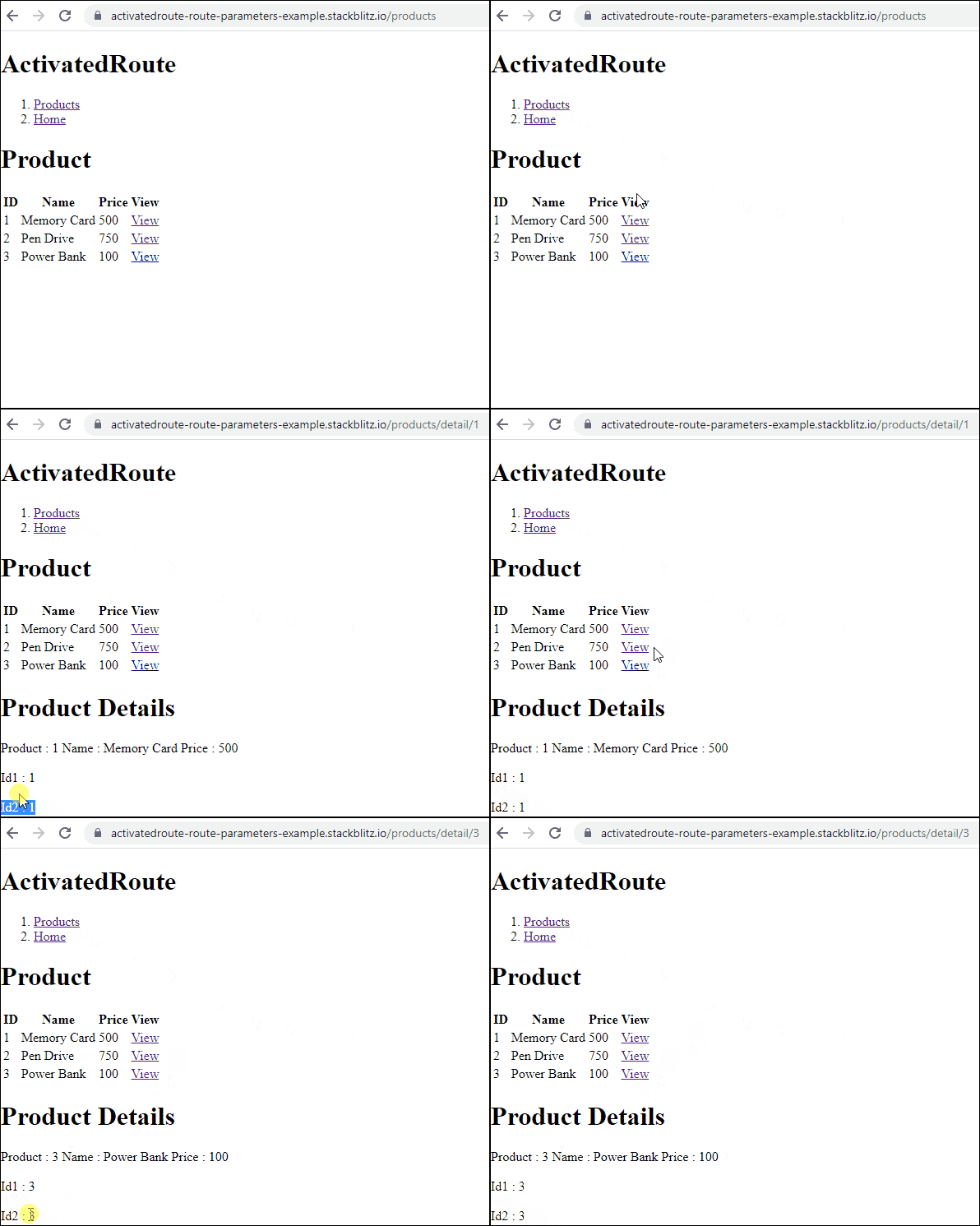
You can refer to the tutorial route parameters in Angular for more
The queryParams & queryParamMap are observable, which when subscribed return the Query Parameters associated with the route. Both of them are very similar to Params & ParamMap observable, which return the Route Parameters
Query params (or Query Parameters) are key-value pairs that appear to the right of the ? in a URL. Each query parameter is separated by &.
/product?page=2&filter=all
In the above example,page=2&filter=all is the query params. It contains two query parameters. One is Page whose value is 2 and the other one is Filter whose value is all.
The queryParamMap observable returns the route parameter as a paramMap object. The paramMap object is a map of the query parameters of the route. You can use the get method to read a specific route or use getAll to read all routes. Use the has method to check if a specific route parameter exists
The queryParams observable returns the query parameter in a params collection. It is a collection of query Parameters indexed by name.
You can use any one of them to read the Query Parameters.
We use the queryParams property of the routerLink directive to add a Query String. In the AppComponent, we add the sort field and pass it as Query String. You can check the code from here.
app.component.ts
  <ol>
    <li>
      <a [routerLink]="['products']"
      [queryParams]="{ sort:sort }"
          >Products</a>
      Sorted On : <input [(ngModel)]="sort">
    </li>
    <li><a [routerLink]="['/']">Home</a></li>
  </ol>
We subscribe to both queryParamMap & queryParams observable to read the value of sort in the ProductComponent.
product.component.ts
  ngOnInit() {
    //Using queryParamMap observable
    this.activateRoute.queryParamMap.subscribe((data) => {
      // data is type of paramMap [https://angular.io/api/router/ParamMap]
      this.sort = data.get('sort');

      //Get products sorted here
      this.products = this.productService.getProducts();
    });

    //Using queryParams observable
    this.activateRoute.queryParams.subscribe((data) => {
      // data is type of params [https://angular.io/api/router/Params]
      this.sort1 = data['sort'];
    });
  }
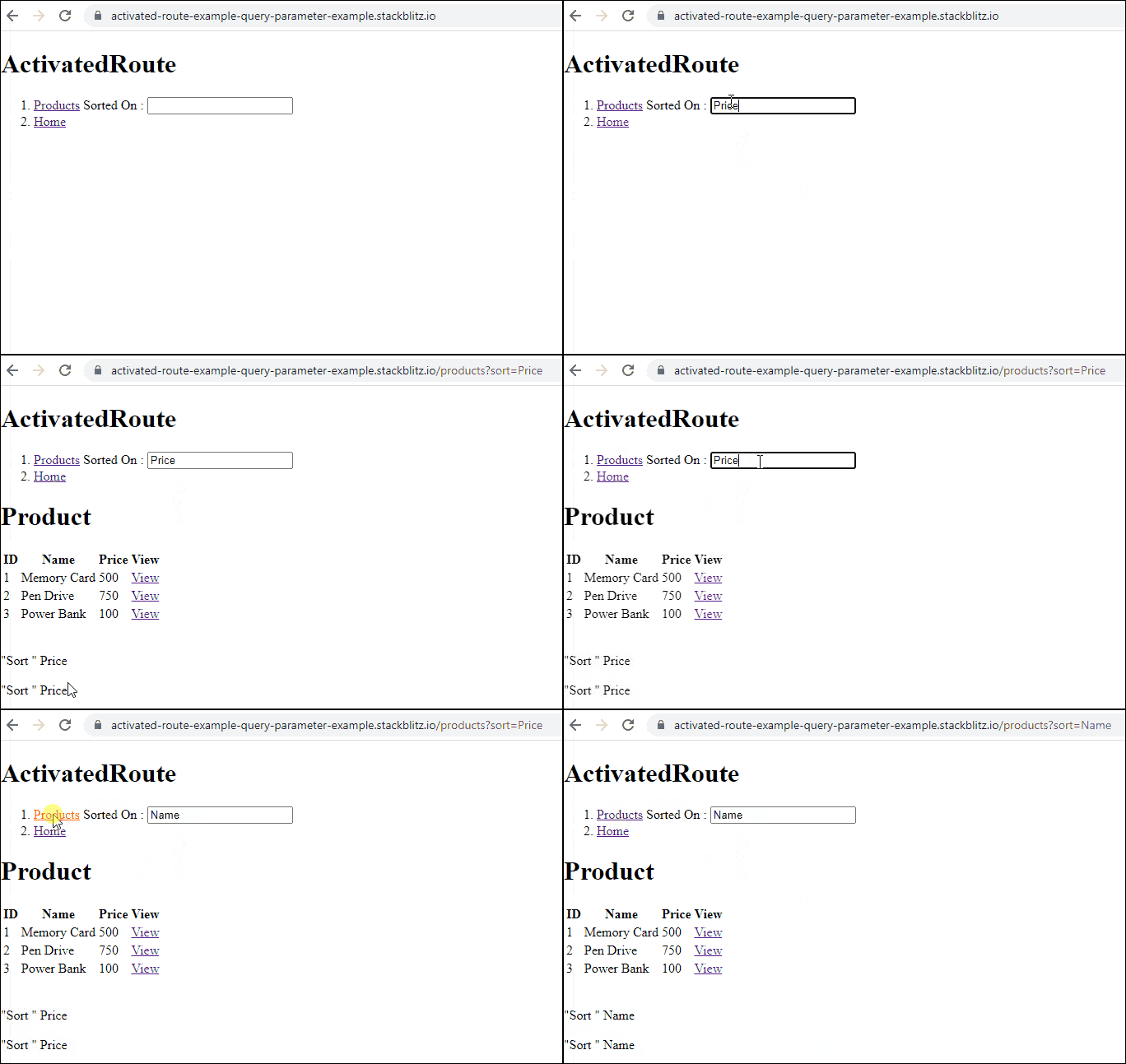
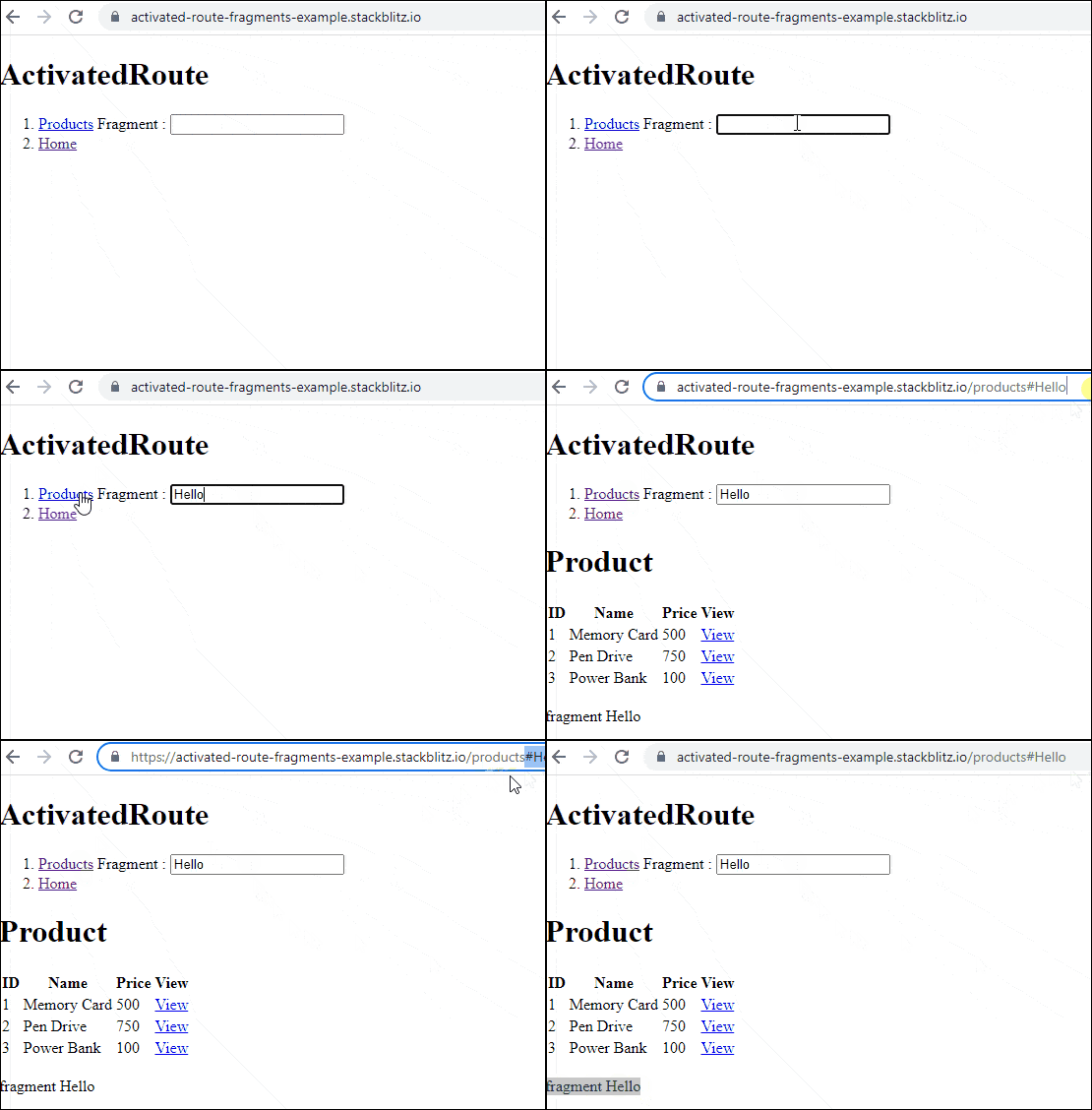
The fragment is observable that returns the fragment of the URL as a string.
A fragment is a string that is attached to the end of the URL after a #. In the following example, hello is a fragment of the URL.
/products#hello
We use the fragment property of the routerlink directive to add the fragment to a URL.
<a [routerLink]="['products']" [fragment]="fragment">Products</a>
Subscribe to the fragment observable in the component class to read the fragment from the URL.
this.activatedRoute.fragment.subscribe((data) => {
      this.fragment = data;
});
For example, refer to the source code.
app.component.ts
  <ol>
    <li>
      <a [routerLink]="['products']" [fragment]="fragment">Products</a>
       Fragment  : <input [(ngModel)]="fragment">
    </li>
    <li><a [routerLink]="['/']">Home</a></li>
  </ol>
  ngOnInit() {
    this.products = this.productService.getProducts();

    this.activatedRoute.fragment.subscribe((data) => {
      this.fragment = data;
    });
  }
Snapshot is a property of the ActivatedRoute. It also contains all the information about the route like Route parameters, query parameters, fragments, data, etc. You can also get information about the parent, root, and child routes of the component. Every Property you will find in ActivatedRoute also exists in Snapshot.
But none of the Properties in the snapshot are observable.
For Example, ActivatedRoute contains the paramMap property, which is an observable which returns the route parameter as a paramMap object when subscribed.
The snapshot also contains the property paramMap which returns the paramMap object directly. You do not need to subscribe to it.
Whenever the route gets updated, the Angular Router updates both the snapshot & ActivatedRoute. The advantage of using observable is that you will be notified when the values change, which helps you to update the component accordingly.
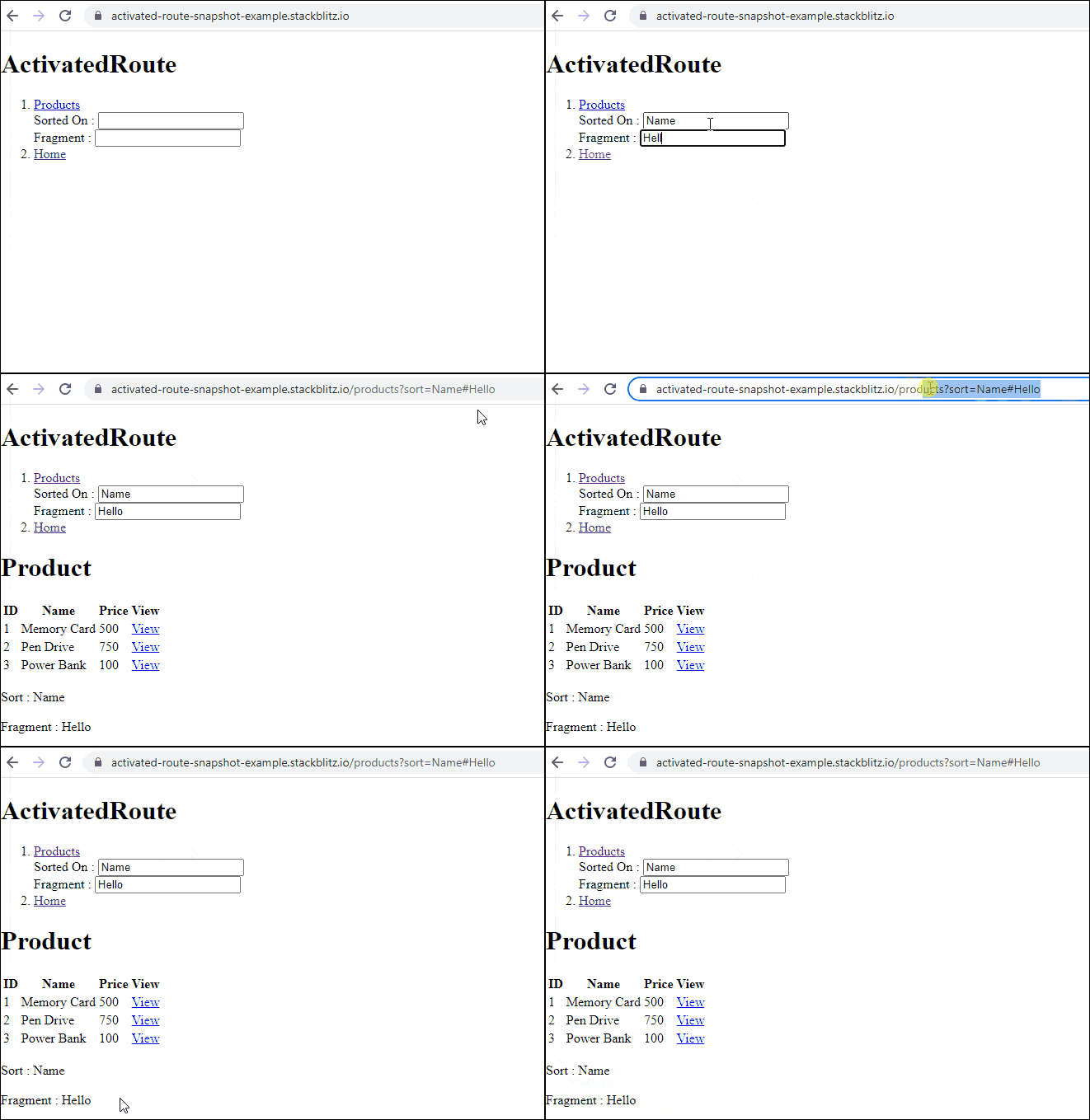
The following example shows how to use the snapshot property to read the query parameter and fragment of the route
this.sort=this.activatedRoute.snapshot.queryParams["sort"]
this.fragment=this.activatedRoute.snapshot.fragment
You can view the example code here
In the AppComponent, we read the values for the queryParams & fragment and send it to the product to route using the routerLink directive
<li>
    <a [routerLink]="['products']"
            [queryParams]="{ sort:sort }"
            [fragment]="fragment"
      >Products</a>

      <br>
      Sorted On : <input [(ngModel)]="sort"><br>
      Fragment  : <input [(ngModel)]="fragment"><br>


</li>
In the Product Component, we read it in the ngOnInit using the snapshot property.
  ngOnInit() {
    this.products = this.productService.getProducts();

    this.sort=this.activatedRoute.snapshot.queryParams["sort"]
    this.fragment=this.activatedRoute.snapshot.fragment

  }
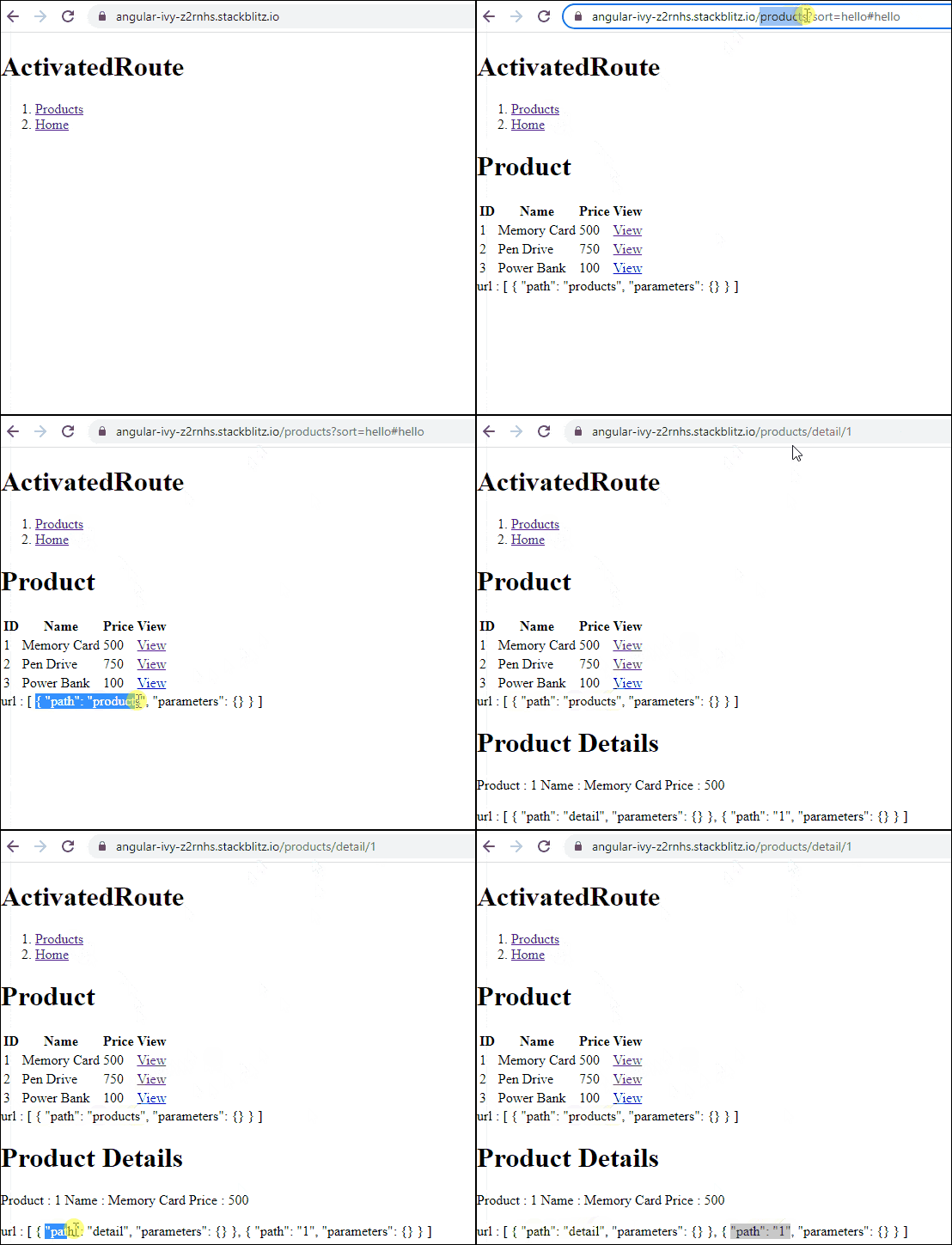
The url is an observable property of the ActivatedRoute which returns the UrlSegment matched by this route.
A UrlSegment is any part of a URL occurring between two slashes.
For example /products/1/detail/15 has four segments, products, 1 detail & 15
The following code shows, how we can read the url segment from the url property.
this.activatedRoute.url.subscribe((data) => {
    this.url = data;
});
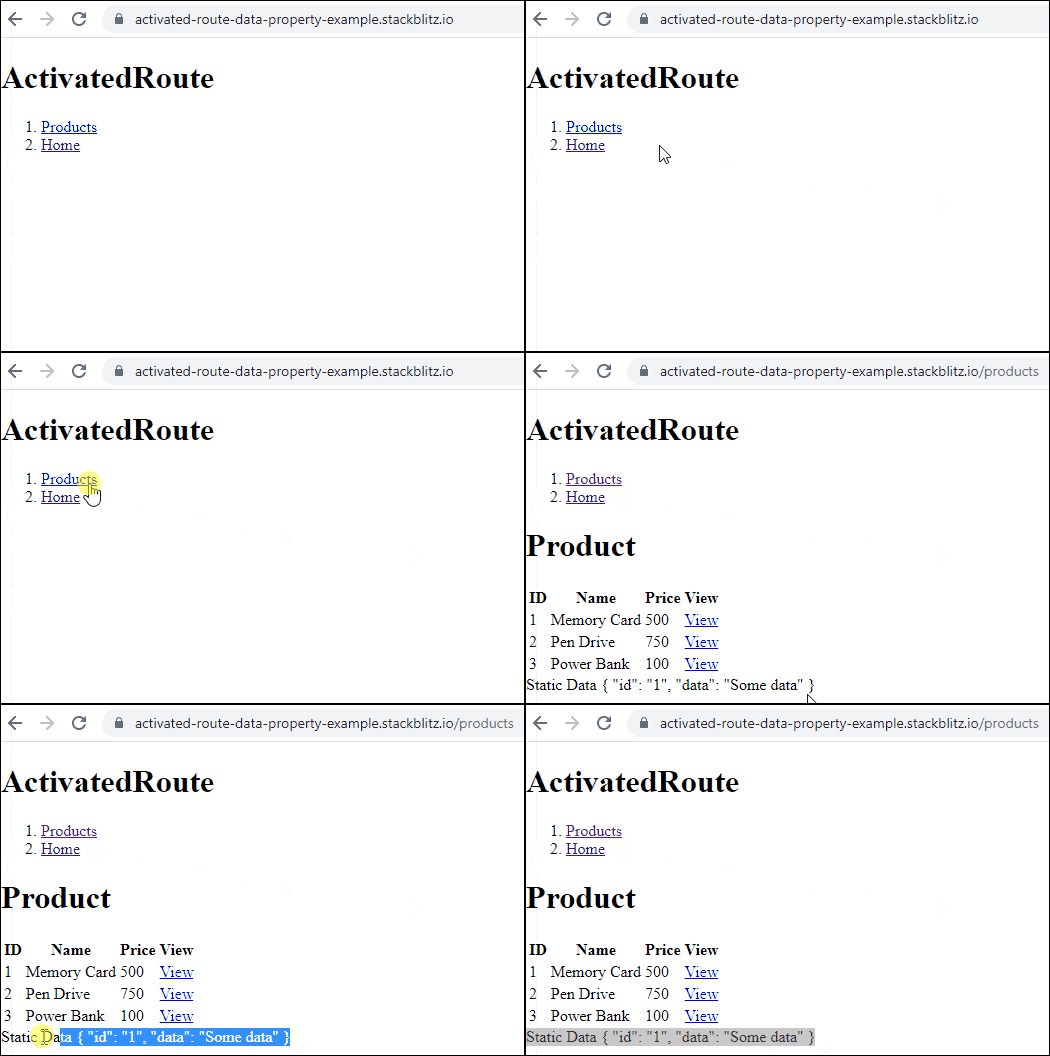
The data observable property of the ActivatedRoute returns the static and resolved data of this route.
We can send static data using the Angular route data property. First, we need to define it while creating the routes.
You can define the static data while declaring the route as shown below
app.module.ts
  {
    path: 'products',
    component: ProductComponent,
    data: { id: '1', data: 'Some data' },    //data to send
}
We can read it in the component by subscribing to the data observable of the activated route.
product.component.ts
    this.activatedRoute.data.subscribe((data) => {
      this.data = data;
    });
You can read more about Passing Static Data Using Route in Angular
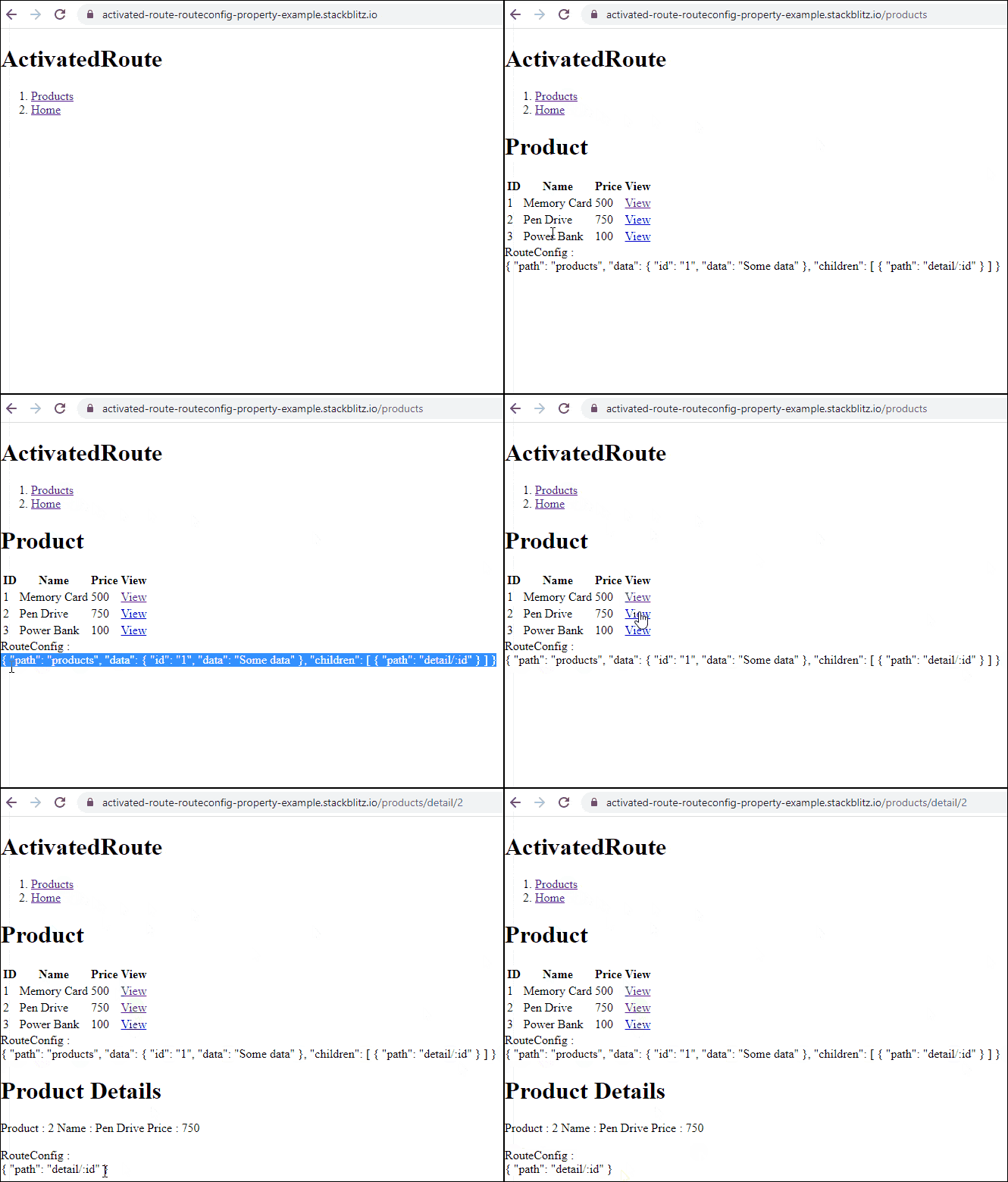
The routeConfig returns the route configuration that matched this route.
We define the application routes as follows.
app.module.ts
const routes: Routes = [
  {
    path: 'products',
    component: ProductComponent,
    data: { id: '1', data: 'Some data' }, //data to send
    children: [
      {
        path: 'detail/:id',
        component: ProductDetailComponent,
      },
    ],
  },
];
The following code shows how we read the route config. Note that it is not an observable
product.component.ts
this.routeConfig = this.activatedRoute.routeConfig;
Angular creates an instance of ActivatedRoute for every route that we navigate.
Take a look at the following route definition.
const routes: Routes = [
  {
    path: 'products',
    component: ProductComponent,
    children: [
      {
        path: 'detail/:id',
        component: ProductDetailComponent,
      },
    ],
  },
];
As the application bootstraps and navigates to the first page (</>), Angular creates the root ActivatedRoute instance. As we move to say products route (</products>), it creates another ActivatedRoute instance for the products route and attaches itself as the child of the root ActivatedRoute instance. Again as we navigate to the Product details page (</products/detail/1>), another instance of ActivatedRoute is created and added as the child of the products route.
The above creates a Tree of Activated Routes which is known as the RouterState.
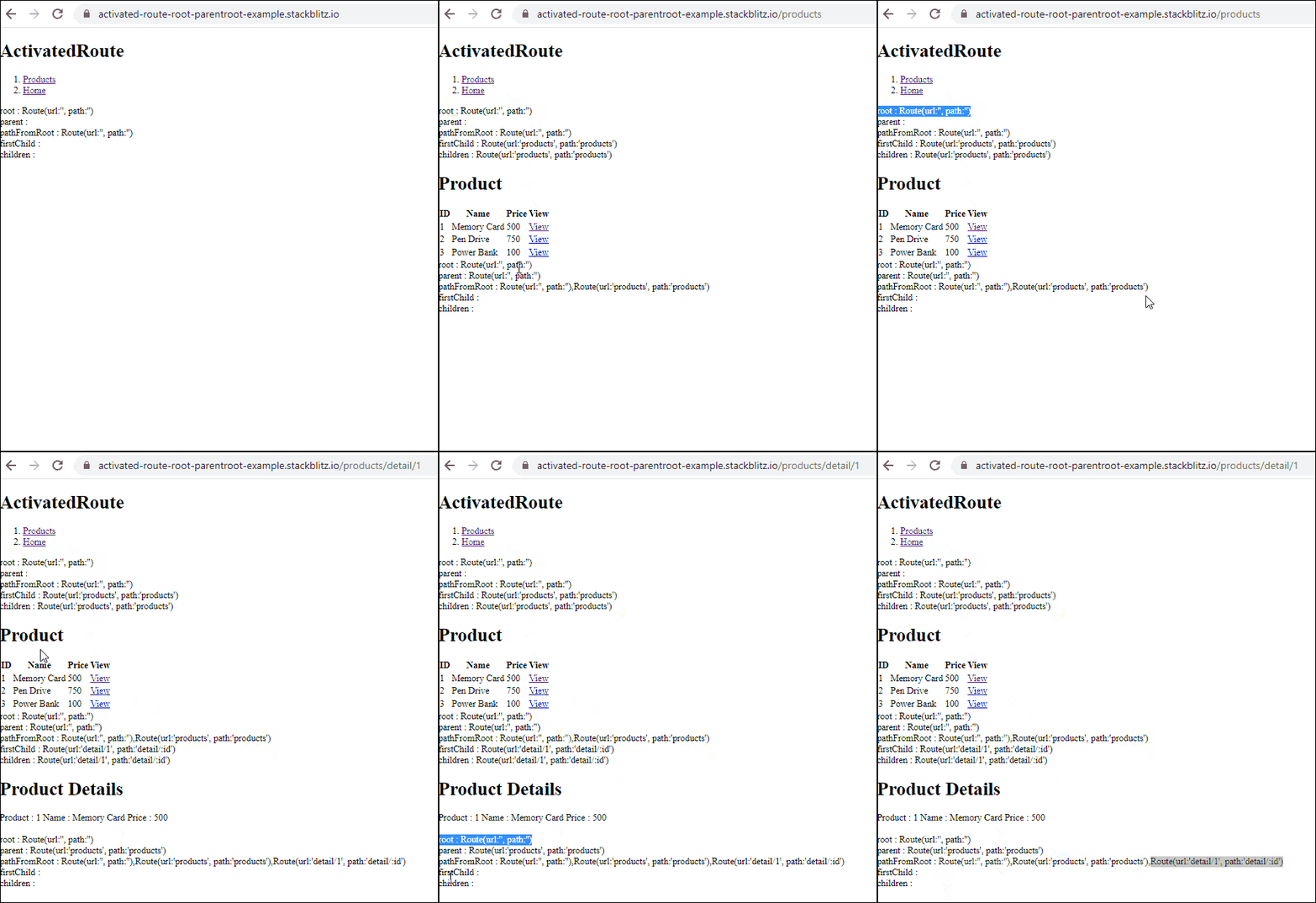
The ActivatedRoute instance provides several properties, which allow us to access the ActivatedRoute instance of the parent, root, child, etc
root: The root of the router state.
parent: The parent of this route in the router state tree.
firstChild: The first child of this route in the router state tree
children: The children of this route in the router state tree.
pathFromRoot: The path from the root of the router state tree to this route.
The following code displays the above properties directly in the template. Note that you need to make the activatedRoute a Public property in the component. Otherwise, it will not be accessible in the template. You can refer to the code.
    root : {{this.activatedRoute.root}} <br>
    parent : {{this.activatedRoute.parent}} <br>
    pathFromRoot : {{this.activatedRoute.pathFromRoot}} <br>
    firstChild : {{this.activatedRoute.firstChild}} <br>
    children : {{this.activatedRoute.children}} <br>
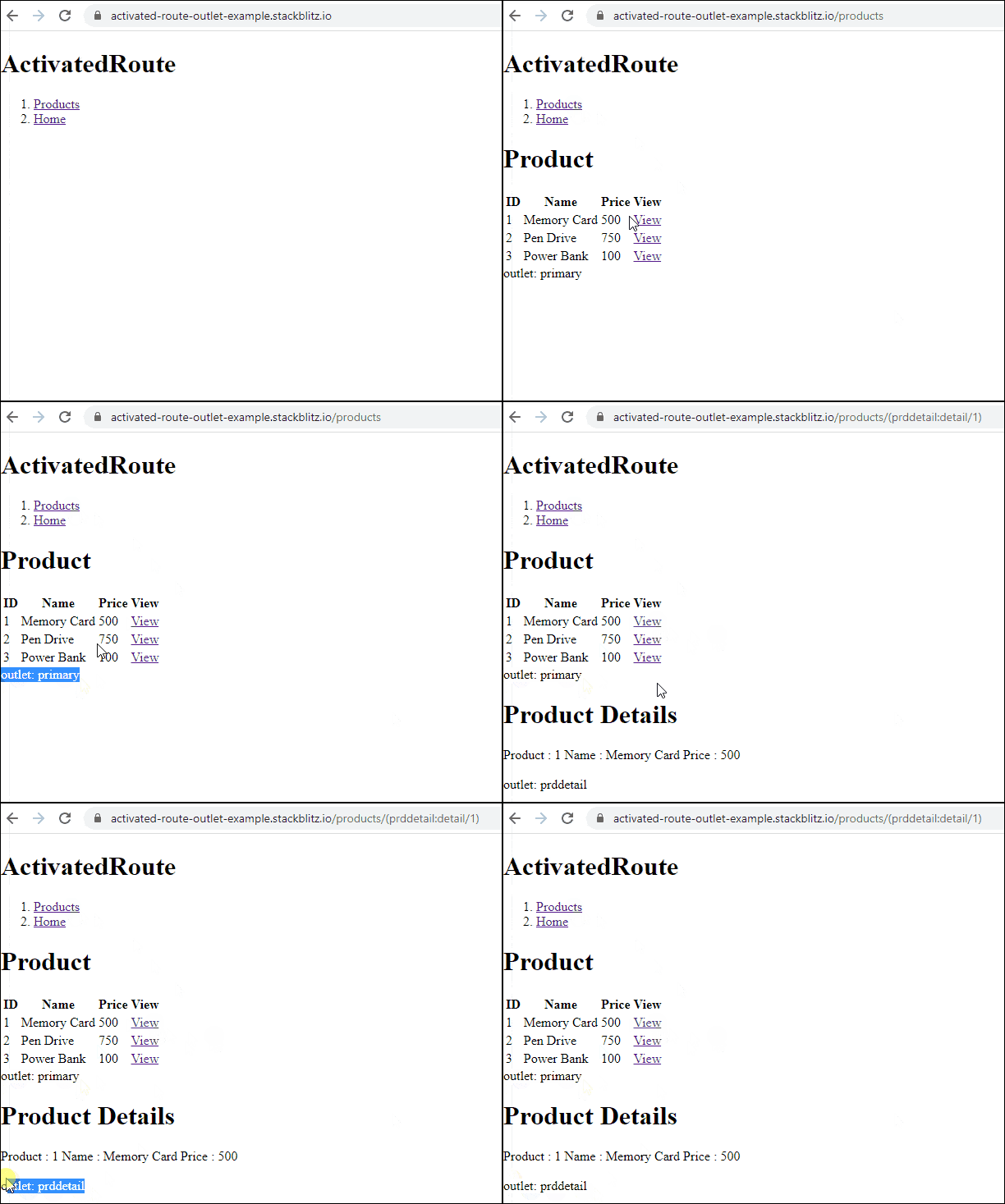
The outlet property returns the name of the outlet where the component is loaded.
The Angular loads the routed components at the placeholder named router-outlet. We can also create named router outlets in the template and load the components at that location. The outlet property of the ActivatedRoute tells us the name of the outlet where our component is loaded.
this.outlet =this.activatedRoute.outlet;
To create a named outlet, first, we need to define the outlet in the routes table. In the following example, prddetail is the name of the outlet where we wish to load the ProductDetailComponent
const routes: Routes = [
  {
    path: 'products',
    component: ProductComponent,
    children: [
      {
        path: 'detail/:id',
        component: ProductDetailComponent,
        outlet:'prddetail'
      },
    ],
  },
];
In the template of the Product Component, we create a router outlet and name the outlet as prddetail
<router-outlet name="prddetail'></router-outlet>
Finally, we update the routerlink directive.
<a [routerLink]="[ {outlets:{prddetail: ['detail', product.productID]}}]">View</a>
In the Product Detail Component, we read the outlet property and display it in the template
this.outlet =this.activatedRoute.outlet;
You can refer to the code here
The component property returns the constructor function of the component class loaded by the route. Since it is a constructor function, you can use the new keyword to create a new instance of the component.
this.comp = this.activatedRoute.component;
An Observable of the resolved route title.
Angular 14 adds a new title property on ActivatedRoute and ActivatedRouteSnapshot.
Since Angular 14, the router has a new mechanism to update the page title from the route config. The route can either be a static string or resolved in the same way as resolve data. But the resolved route title is not exposed and is inaccessible from the client application. Hence the above Property was added.
