
Learn how to use SetValue & PatchValue in FormArray in Angular. We use these methods to set the values of the form in Reactive Forms. These methods are available in the AngularFormsModule. Refer to the guide on how to use the SetValue & PatchValue in Angular Forms. Butsetting the value of the form controls, when we have nested FormArray becomes a little tricky.
We built the nested Form array in the last tutorial. The code is as shown below. You can refer to the tutorial nested FormArray Example for the explanation of the code
The following is the structure of our form model. There can be many teachers and each teacher can manage many batches. Each batch can contain several students.
|Form
|-- Teacher
|-----Batch
|-------Students
<h1>{{title}}</h1>

<form [formGroup]="teachersForm" (ngSubmit)="onSubmit()">

  <div formArrayName="teachers">

    <div *ngFor="let teacher of teachers().controls; let ti=index">

      <div [formGroupName]="ti"
        style="border: 1px solid blue; padding: 10px; width: 100%; display: inline-block; margin: 5px;">
        Teachers Name :
        <input type="text" formControlName="name">
        <button (click)="removeTeacher(ti)">Remove</button>
        <button type="button" (click)="addBatch(ti)">Add Batch</button>

        <div formArrayName="batches">

          <div *ngFor="let batch of batches(ti).controls; let bi=index">

            <div [formGroupName]="bi" style="border: 1px solid red; padding: 10px; margin: 5px; float:left">

              Batch Name :
              <input type="text" formControlName="name">
              <button (click)="removeBatch(ti,bi)">Remove Batch</button>
              <button (click)="addStudent(ti,bi)">Add Student</button>

              <div formArrayName="students">

                <div *ngFor="let batch of students(ti,bi).controls; let si=index">
                  <div [formGroupName]="si" style="border: 1px solid blue; padding: 2px; ">
                    Student Name :
                    <input type="text" formControlName="name">
                    <button (click)="removeStudent(ti,bi,si)">Remove student</button>
                  </div>
                </div>

              </div>

            </div>

          </div>

        </div>

      </div>

    </div>

  </div>

  <p>
    <button type="button" (click)="addTeacher()">Add Teacher</button>
  </p>
  <p>
    <button type="submit">Submit</button>
  </p>

</form>

{{this.teachersForm.value | json}}
import { Component } from '@angular/core';
import { FormGroup, FormArray, FormBuilder } from '@angular/forms'


@Component({
  selector: 'app-root',
  templateUrl: './app.component.html',
  styleUrls: ['./app.component.css']
})
export class AppComponent {

  title = 'FormArray SetValue & PatchValue Example';

  teachersForm: FormGroup;

  constructor(private fb: FormBuilder) {
    this.teachersForm = this.fb.group({
      teachers: this.fb.array([]),
    })
  }


  /** Teachers */
  teachers(): FormArray {
    return this.teachersForm.get("teachers") as FormArray
  }

  newTeacher(): FormGroup {
    return this.fb.group({
      name: '',
      batches: this.fb.array([])
    })
  }


  addTeacher() {
    this.teachers().push(this.newTeacher());
  }


  removeTeacher(ti) {
    this.teachers().removeAt(ti);
  }


  /** batches */

  batches(ti): FormArray {
    return this.teachers().at(ti).get("batches") as FormArray
  }


  newBatch(): FormGroup {
    return this.fb.group({
      name: '',
      students: this.fb.array([])
    })
  }

  addBatch(ti: number) {
    this.batches(ti).push(this.newBatch());
  }

  removeBatch(ti: number, bi: number) {
    this.batches(ti).removeAt(ti);
  }

  /** students */

  students(ti, bi): FormArray {
    return this.batches(ti).at(bi).get("students") as FormArray
  }

  newStudent(): FormGroup {
    return this.fb.group({
      name: '',
    })
  }

  addStudent(ti: number, bi: number) {
    this.students(ti, bi).push(this.newStudent());
  }

  removeStudent(ti: number, bi: number, si: number) {
    this.students(ti, bi).removeAt(si);
  }

  onSubmit() {
    console.log(this.teachersForm.value);
  }

}
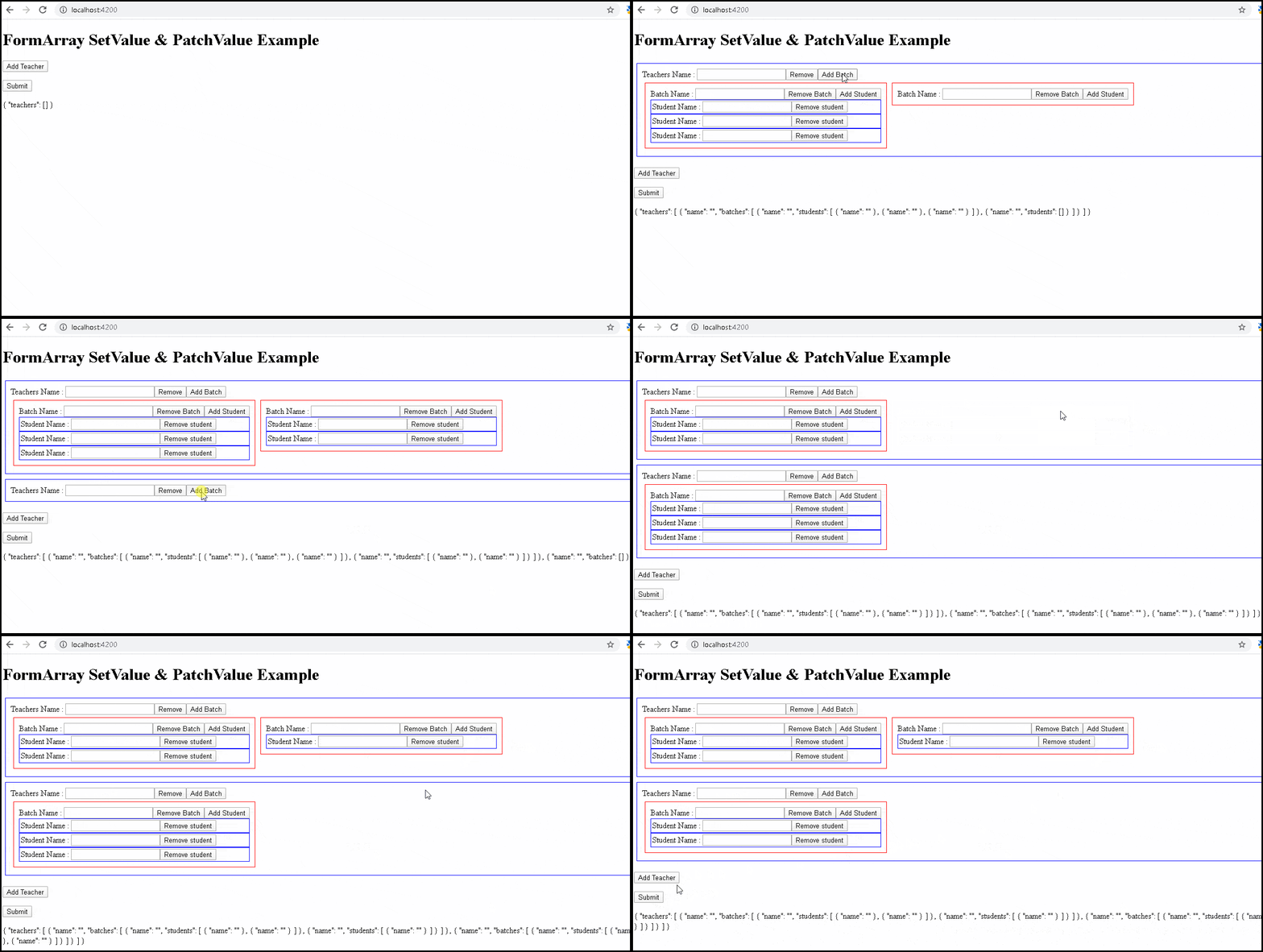
When the form is loads for the first time, it will not have any controls in the FormArray. Calling PatchValue or SetValue will have no effect.
The patchValue1 method in the following example tries to load the data. The data contains one teacher managing two batches with three students in each batch.
patchValue1() {
    console.log('patchValue1')
    var data = {
      teachers: [
        {
          name: 'Teacher 1', batches: [
            { name: 'Batch No 1', students: [{ name: 'Ramesh' }, { name: 'Suresh' }, { name: 'Naresh' }] },
            { name: 'Batch No 2', students: [{ name: 'Vikas' }, { name: 'Harish' }, { name: 'Lokesh' }] },
          ]
        }
      ]
    }

    this.teachersForm.patchValue(data);
}
Invoke the method from the template.
<p>
  <button (click)="patchValue1()">PatchValue1</button>
</p>
As you can see from below patchValue won’t work unless we have all the controls loaded. Hence we need to build the form manually before calling patchValue
To load the data, we need to update our form programmatically to match the data. The patchValue2 method in the following example does that.
patchValue2() {

  var data = {
    teachers: [
      {
        name: 'Teacher 1', batches: [
          { name: 'Batch No 1', students: [{ name: 'Ramesh' }, { name: 'Suresh' }, { name: 'Naresh' }] },
          { name: 'Batch No 2', students: [{ name: 'Vikas' }, { name: 'Harish' }, { name: 'Lokesh' }] },
        ]
      }
    ]
  }
  this.clearFormArray();


  data.teachers.forEach(t => {

    var teacher: FormGroup = this.newTeacher();
    this.teachers().push(teacher);

    t.batches.forEach(b => {
      var batch = this.newBatch();

      (teacher.get("batches") as FormArray).push(batch)

      b.students.forEach(s => {
        (batch.get("students") as FormArray).push(this.newStudent())
      })

    });
  });

  this.teachersForm.patchValue(data);
}


clearFormArray() {

  //Angular 8 +
  this.teachers().clear();

  //older Versions of angualar
  //while (this.teachers().length) {
  //  this.teachers().removeAt(0);
  //}
}
We start by clearing the FormArray. The clearing is useful if the user wants to discard and reload the original data again.
To clear the form, all You need to do is get hold of the top-level formArray and call clear method Note that clear is available from Angular 8+ . If you are using the prior versions, then use the removeAt(index) method
clearFormArray() {

  //Angular 8 +
  this.teachers().clear();

  //older Versions of angualar
  //while (this.teachers().length) {
  //  this.teachers().removeAt(0);
  //}
}
Now loop through the data
data.teachers.forEach(t => {
For every teacher create a nested form array and push it to the top-level formArray
var teacher: FormGroup = this.newTeacher();
this.teachers().push(teacher);
Now, loop through the batches and add it to the batches form array
t.batches.forEach(b => {

var batch = this.newBatch();
(teacher.get("batches") as FormArray).push(batch)
Next, do the same for students
b.students.forEach(s => {
(batch.get("students") as FormArray).push(this.newStudent())
})
Now, our form model matches the data structure. You can now call patchValue or setValue to update the Form. Remember the difference between PatchValue & SetValue.
You can read about them from the tutorial SetValue & PatchValue in Angular
This guide demonstrated how to update the values of FormArray using the initial data. To do that first you need to update your form to match the structure of the data. Then make use of the either PatchValue or SetValue
