
ANGULAR
Complete Angular Tutorial For Beginners Introduction to Angular | What is Angular? Architecture Overview & Concepts of Angular How to Install Angular How to Create a new project in Angular Bootstrapping in Angular: How It Works Internally Angular Components Overview & Examples Data Binding in Angular Interpolation in Angular Property Binding in Angular Event Binding in Angular ngModel & Two way Data binding in Angular NgModelChange & Change Event in Angular Child/Nested Components in Angular angular directives angular ngFor directive ngSwitch, ngSwitchcase, ngSwitchDefa ult Angular Example How to use ngIf, else, then in Angular By example NgClass Example Conditionally apply class Angular ngStyle Directive Angular Trackby to improve ngFor Performance How to Create & Use Custom Directive In Angular Working with Angular Pipes How to Create Custom Pipe in Angular Formatting Dates with Angular Date Pipe Using Angular Async Pipe with ngIf & ngFor angular keyValue pipe Using Angular Pipes in Components or Services Angular Component Communication & Sharing Data Angular Pass data to child component Angular Pass data from Child to parent component Component Life Cycle Hooks in Angular Angular ngOnInit And ngOnDestroy Life Cycle hook Angular ngOnChanges life Cycle Hook Angular ngDoCheck Life Cycle Hook Angular Forms Tutorial: Fundamentals & Concep t s Angular Template-driven forms example How to set value in template-driven forms in Angular Angular Reactive Forms Example Using Angular FormBuilder to build Forms SetValue & PatchValue in Angular StatusChanges in Angular Forms ValueChanges in Angular Forms FormControl in Angular FormGroup in Angular Angular FormArray Example Nested FormArray Example Add Form Fields Dynamically SetValue & PatchValue in FormArray Angular Select Options Example in Angular Introduction to Angular Services Introduction to Angular Dependency Injection Angular Injector, @Injectable & @Inject Angular Providers: useClass, useValue, useFactory & useExisting Injection Token in Angular How Dependency Injection & Resolution Works in Angular Angular Singleton Service ProvidedIn root, any & platform in Angular @Self, @SkipSelf & @Optional Decorators Angular '@Host Decorator in Angular ViewProviders in Angular Angular Reactive Forms Validation Custom Validator in Angular Reactive Form Custom Validator with Parameters in Angular Inject Service Into Validator in Angular template_driven_form_validation_in_angular Custom Validator in Template Driven Forms in Angular Angular Async Validator Example Cross Field or Multi Field Validation Angular How to add Validators Dynamically using SetValidators in Angular Angular HttpClient Tutorial & Example Angular HTTP GET Example using httpclient Angular HTTP POST Example URL Parameters, Query Parameters, httpparams in Angular HttpClient Angular HTTPHeaders Example Understanding HTTP Interceptors in Angular Angular Routing Tutorial with Example Location Strategy in Angular Angular Route Params Angular : Child Routes / Nested Route Query Parameters in Angular Angular Pass Data to Route: Dynamic/Static RouterLink, Navigate & NavigateByUrl to Navigate Routes RouterLinkActive in Angular Angular Router Events ActivatedRoute in Angular Angular Guards Tutorial Angular CanActivate Guard Example Angular CanActivateChild Example Angular CanDeactivate Guard Angular Resolve Guard Introduction to Angular Modules or ngModule Angular Routing between modules Angular Folder Structure Best Practices Guide to Lazy loading in Angular Angular Preloading Strategy Angular CanLoad Guard Example Ng-Content & Content Projection in Angular Angular @input, @output & EventEmitter Template Reference Variable in Angular ng-container in Angular How to use ng-template & TemplateRef in Angular How to Use ngTemplateOutlet in Angular '@Hostbinding and @Hostlistener_in_Angular Understanding ViewChild, ViewChildren &erylist in Angular ElementRef in Angular Renderer2 Example: Manipulating DOM in Angular ContentChild and ContentChildren in Angular AfterViewInit, AfterViewChecked, AfterContentInit & AfterContentChecked in Angular Angular Decorators Observable in Angular using RxJs Create observable from a string, array & object in angular Create Observable from Event using FromEvent in Angular Using Angular observable pipe with example Angular Map Operator: Usage and Examples Filter Operator in Angular Observable Tap operator in Angular observable Using SwitchMap in Angular Using MergeMap in Angular Using concatMap in Angular Using ExhaustMap in Angular Take, TakeUntil, TakeWhile & TakeLast in Angular Observable First, Last & Single Operator in Angular Observable Skip, SkipUntil, SkipWhile & SkipLast Operators in Angular The Scan & Reduce operators in Angular DebounceTime & Debounce in Angular Delay & DelayWhen in Angular Using ThrowError in Angular Observable Using Catcherror Operator in Angular Observable ReTryWhen inReTry, ReTryWhen in Angular Observable Unsubscribing from an Observable in Angular Subjects in Angular ReplaySubject, BehaviorSubject & AsyncSubject in Angular Angular Observable Subject Example Sharing Data Between Components Angular Global CSS styles View Encapsulation in Angular Style binding in Angular Class Binding in Angular Angular Component Styles How to Install & Use Angular FontAwesome How to Add Bootstrap to Angular Angular Location Service: go/back/forward Angular How to use APP_INITIALIZER Angular Runtime Configuration Angular Environment Variables Error Handling in Angular Applications Angular HTTP Error Handling Angular CLI tutorial ng new in Angular CLI How to update Angular to latest version Migrate to Standalone Components in Angular Create Multiple Angular Apps in One Project Set Page Title Using Title Service Angular Example Dynamic Page Title based on Route in Angular Meta service in Angular. Add/Update Meta Tags Example Dynamic Meta Tags in Angular Angular Canonical URL Lazy Load Images in Angular Server Side Rendering Using Angular Universal The requested URL was not found on this server error in Angular Angular Examples & Sample Projects Best Resources to Learn Angular Best Angular Books in 2020

Best Angular Books in 2020

The No of books available on Angular is overwhelming. But not all of them are up to the mark. We have made a sincere attempt to choose the best Angular books among them.

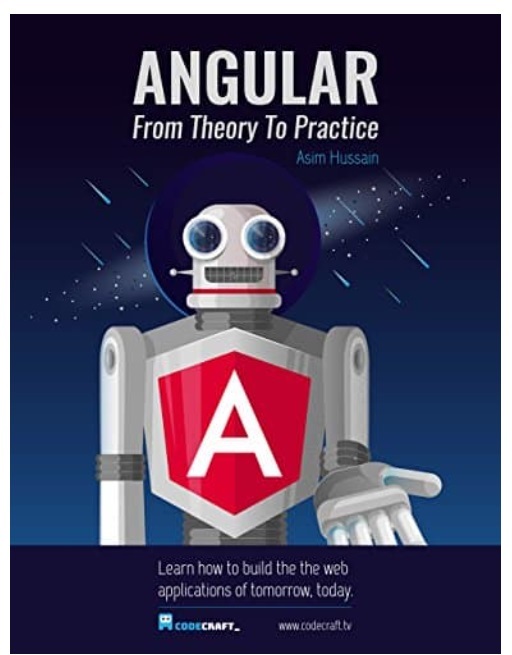
Angular From Theory To Practice

Build the web applications of tomorrow using the new Angular web framework from Google

This kindle Editon only book by Asim Hussain of code-craft is simple and to the point and covers almost everything. It surpasses the expectations for the price you pay. And it is free you own a Kindle.
image

Check Price

India

USA/UK

Table of Contents

  1. Intro to Typescript
  2. Writing our first app
  3. Property & Event Binding
  4. Nesting Components & Inputs
  5. Typescript setup
  6. Angular CLI
  7. Architecting with Components
  8. Templates, Styles & View Encapsulation
  9. Content Projection
  10. Life-cycle hooks
  11. Directives
  12. Streams & Reactive Programming, Observables, RxJs
  13. Pipes
  14. Model-driven Forms
  15. Template Driven Forms
  16. Dependency Injection
  17. Core HTTP API
  18. Router Module
  19. Jasmine & Karma
  20. Form Validators

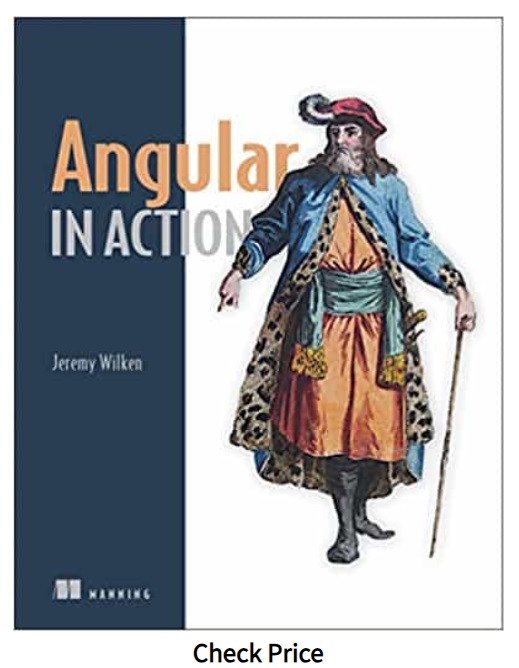
Angular in Action

This is the great book by very experienced authors. The book contains a lot of example codes that are well explained with good illustrations. This book teaches you everything you need to build an Angular application. The books start from basic and covers the advanced techniques like testing, dependency injection, and performance tuning.
image


India

USA/UK

Table of Contents

  1. Angular a Modern web platform
  2. Building your first Angular App
  3. App Essentials
  4. Component Basics
  5. Advanced Components
  6. Services
  7. Routing
  8. Building custom Directives and pipes
  9. Forms
  10. Testing your Application
  11. Angular in Production

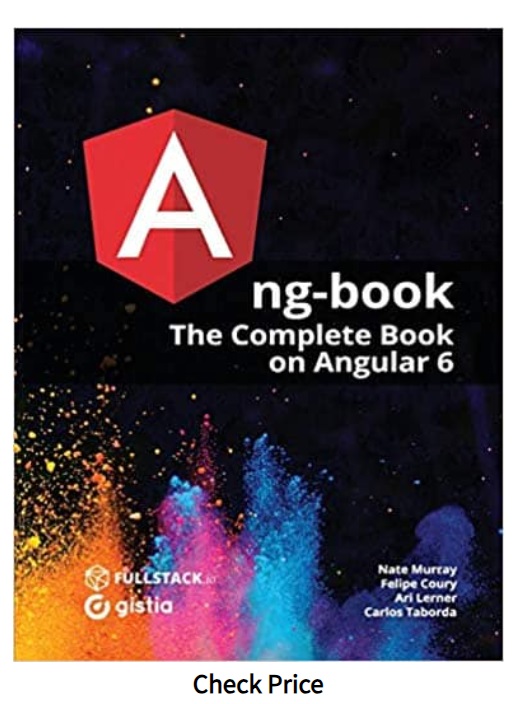
Ng-Book: The Complete Guide to Angular

This book very comprehensive and reader-friendly. The book is well organized and covers all the important topics in the Angular. The chapters on Data Architecture in Angular, Redux & Nativescipt is a bonus here. Also, it covers how to migrate from AngularJs to Angular. A Book worth reading
image


India

USA/UK

Table of Contents

  1. Writing Your First Angular Web Application
  2. TypeScript
  3. How Angular Works
  4. Built-in Directives
  5. Forms in Angular
  6. Dependency Injection
  7. HTTP
  8. Routing
  9. Data Architecture in Angular
  10. Testing your Application
  11. Angular in Production

The right approach is to store the configuration information in a config file in a secured location. We will deploy the configuration file along with the App. The App can load the configuration from it when the application loads.


providers :[{ provide: token, useClass: SomeService }]


Thetoken can be either type, a string or an instance of InjectionToken.

The type token


providers :[{ provide: productService, useClass: productService}]


The string token


providers :[ {provide:'MESSAGE', useValue: 'Hello Angular'}]


The InjectionToken

The InjectionToken is used whenever the type that is being used does not have runtime representation such as when injecting an interface, callable type,array etc


export const MESSAGE = new InjectionToken<string>('Hello Angular'); 
 
providers :[ { provide: HELLO_MESSAGE, useValue: 'Hello World!' }];


Where to use APP_INITIALIZER

As mentioned earlier, the APP_INITIALIZER is run when the application is initialized. The Angular suspends the app initialization until all the functions provided by the APP_INITIALIZER are run. If any of those intializers return a promise, then the angular waits for it to resolve, before continuing with the App initialization

This gives us an opportunity to hook into the initialization process and run some our application custom logic. You can load runtime configuration information. load important data from the backend etc.

APP_INITIALIZER Example

Create a new Angular Project

Create app-init.service.ts under the folder src/app.


import { Injectable }  from '@angular/core';
 
@Injectable()
export class AppInitService {
 
    constructor() {
    }
    
    Init() {
 
        return new Promise<void>((resolve, reject) => {
            console.log("AppInitService.init() called");
            ////do your initialisation stuff here  
            setTimeout(() => {
                console.log('AppInitService Finished');
                resolve();
            }, 6000);
 
        });
    }
}


This is a simple service, which has one method Init. The method returns a Promise.


return new Promise<void>((resolve, reject) => {


Inside the method we have setup a timer which waits for 6000 milliseconds and then calls the resolve

Open the app.module.ts


import { BrowserModule } from '@angular/platform-browser';
import { NgModule, APP_INITIALIZER } from '@angular/core';
import { HttpClientModule } from '@angular/common/http';
 
import { AppRoutingModule } from './app-routing.module';
 
import { AppComponent } from './app.component';
import { AboutUsComponent } from './about-us.component';
import { HomeComponent } from './home.component';
import { ContactUsComponent } from './contact-us.component';
 
import { AppInitService } from './app-init.service';
 
export function initializeApp1(appInitService: AppInitService) {
  return (): Promise<any> => { 
    return appInitService.Init();
  }
}
 
@NgModule({
  declarations: [
    AppComponent, AboutUsComponent,HomeComponent,ContactUsComponent
  ],
  imports: [
    HttpClientModule,
    BrowserModule,
    AppRoutingModule,
  ],
  providers: [ 
    AppInitService,
    { provide: APP_INITIALIZER,useFactory: initializeApp1, deps: [AppInitService], multi: true}
  ],
  bootstrap: [AppComponent]
})
export class AppModule { }


First, we need to import APP_INITIALIZER from the @angular/core


import { NgModule, APP_INITIALIZER } from '@angular/core';


We need to execute the appInitService.Init(). We cannot do it directly from the provider. We need to create a function which invokes the appInitService.Init() and returns a Promise. We do that in initializeApp1 function.


import { AppInitService } from './app-init.service';
 
export function initializeApp1(appInitService: AppInitService) {
  return (): Promise<any> => { 
    return appInitService.Init();
  }
}


Finally,. use the APP_INITIALIZER token to provide the initializeApp1


  providers: [ 
    AppInitService,
    { provide: APP_INITIALIZER,useFactory: initializeApp1, deps: [AppInitService], multi: true}
  ],


The useFactory is used because initializeApp1 is a function and not a class. The Angular Injector executes this function , which in turn calls the appInitService.Init().

The Angular Dependency injection injects dependencies to classes & components, but not to functions. But our initializeApp1 is a function and needs AppInitService to be injected as the argument. We do that by using the deps: flag and let angular know that it needs to create a instance of AppInitService and inject it to the initializeApp1 function.

The multi : true creates the multi provider DI token. Which means that you can provide array of providers for a DI token.

If multi: false (which is default) is set and use a token more than once, the last to register will override all the previous tokens. i.e you can have only one provider for token.

If multi: true is set, then the new providers are added to the previously registered providers making it more than one provider for a token. The angular will execute all of them when the token in invoked.

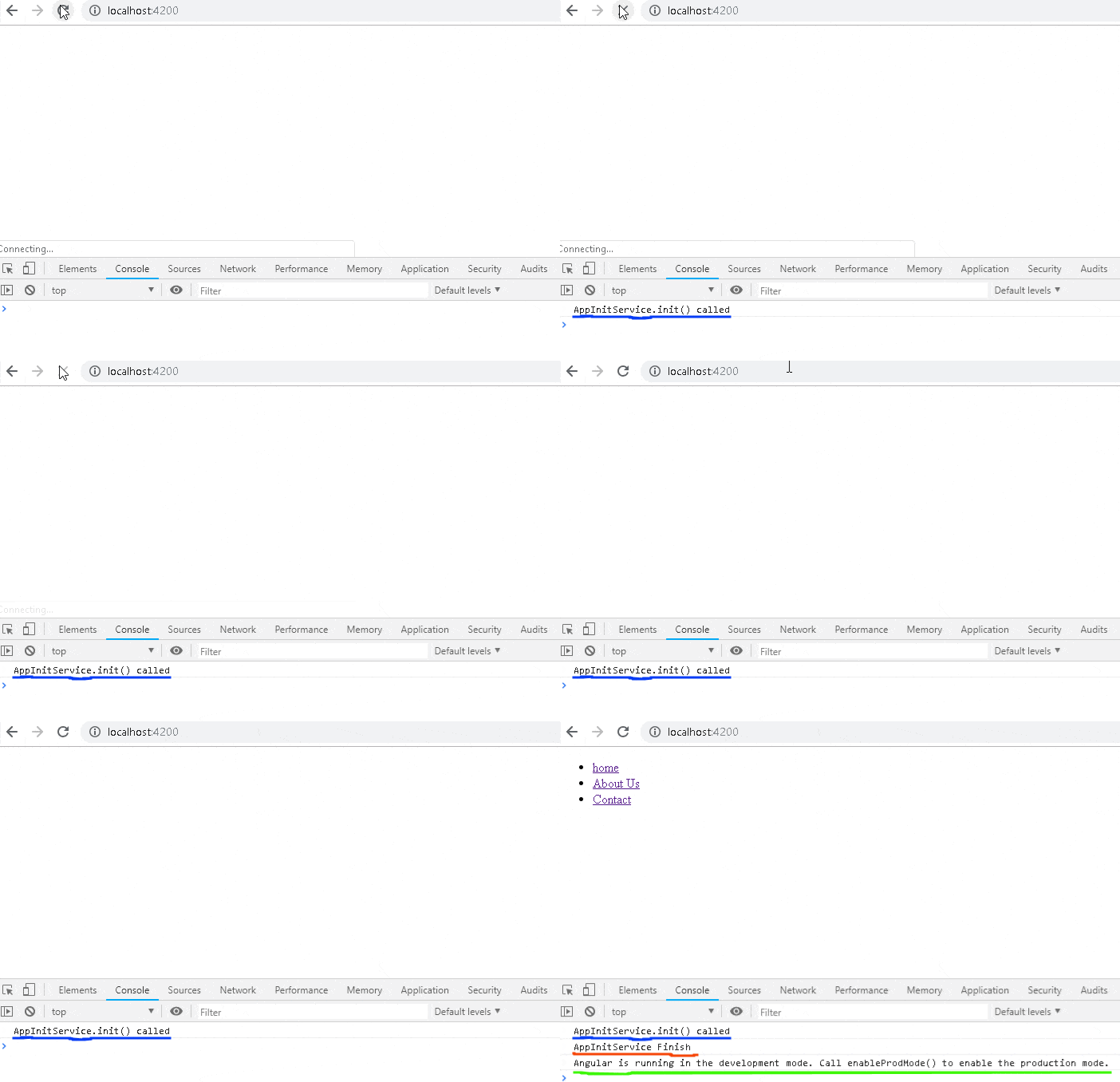
The run the app & Open the Chrome developer console. You will see that the messages from the service appears first, before the “Angular running in development mode” message.
image

If you return reject from the service, the angular app will not start.

Multi Providers in APP_INITIALIZER

You can use the multi: true to create Multi Provider token. This means we can create more than one function/service and invoke it during initialization.

Create another factory function initializeApp2, which just writes to console after a timeout of 2000 milliseconds.

                              
export function initializeApp2() {
  return (): Promise<any> => {
    return new Promise((resolve, reject) => {
      console.log(`initializeApp2 called`);
      setTimeout(() => {
        console.log(`initializeApp2 Finished`);
        resolve();
      }, 2000);
    });
  };
}


Next, register it with the APP_INITIALIZER token as shown below.

                              
  providers: [ 
    AppInitService,
    { provide: APP_INITIALIZER,useFactory: initializeApp1, deps: [AppInitService], multi: true},
    { provide: APP_INITIALIZER,useFactory: initializeApp2, multi: true}
  ],


Run the app. You will observe the following
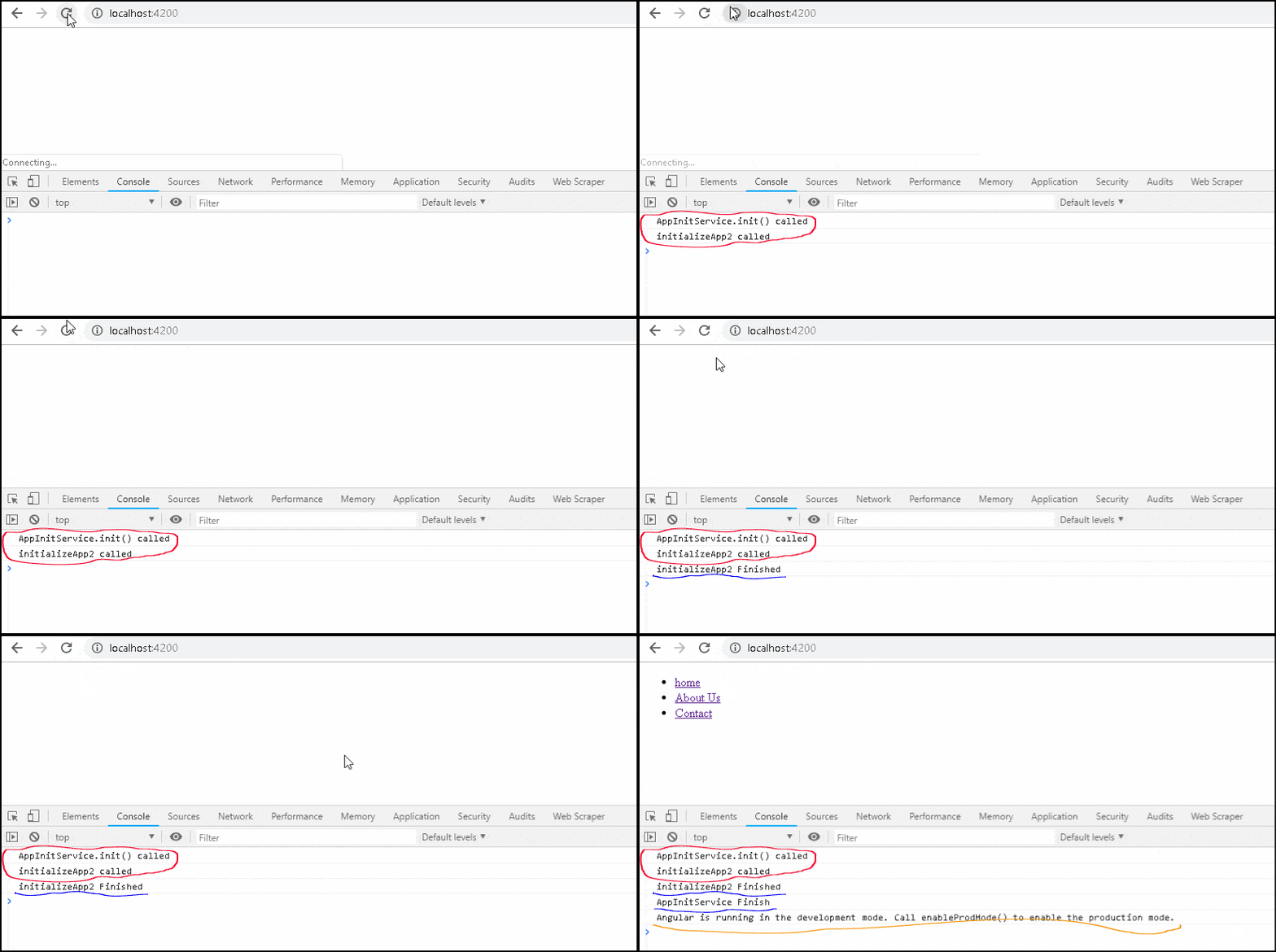
  1. Both initializeApp1 & initializeApp2 runs in succession without waiting for each other.
  2. initializeApp2 finishes first, although it is invoked after initializeApp1
  3. The Angular waits for both the functions to finish
image

Summary

The APP_INITIALIZER is an instance of InjectionToken. It allows us to hook into the Angular Initialization process and run our custom logic like retrieving some important data
