
ANGULAR
Complete Angular Tutorial For Beginners Introduction to Angular | What is Angular? Architecture Overview & Concepts of Angular How to Install Angular How to Create a new project in Angular Bootstrapping in Angular: How It Works Internally Angular Components Overview & Examples Data Binding in Angular Interpolation in Angular Property Binding in Angular Event Binding in Angular ngModel & Two way Data binding in Angular NgModelChange & Change Event in Angular Child/Nested Components in Angular angular directives angular ngFor directive ngSwitch, ngSwitchcase, ngSwitchDefa ult Angular Example How to use ngIf, else, then in Angular By example NgClass Example Conditionally apply class Angular ngStyle Directive Angular Trackby to improve ngFor Performance How to Create & Use Custom Directive In Angular Working with Angular Pipes How to Create Custom Pipe in Angular Formatting Dates with Angular Date Pipe Using Angular Async Pipe with ngIf & ngFor angular keyValue pipe Using Angular Pipes in Components or Services Angular Component Communication & Sharing Data Angular Pass data to child component Angular Pass data from Child to parent component Component Life Cycle Hooks in Angular Angular ngOnInit And ngOnDestroy Life Cycle hook Angular ngOnChanges life Cycle Hook Angular ngDoCheck Life Cycle Hook Angular Forms Tutorial: Fundamentals & Concep t s Angular Template-driven forms example How to set value in template-driven forms in Angular Angular Reactive Forms Example Using Angular FormBuilder to build Forms SetValue & PatchValue in Angular StatusChanges in Angular Forms ValueChanges in Angular Forms FormControl in Angular FormGroup in Angular Angular FormArray Example Nested FormArray Example Add Form Fields Dynamically SetValue & PatchValue in FormArray Angular Select Options Example in Angular Introduction to Angular Services Introduction to Angular Dependency Injection Angular Injector, @Injectable & @Inject Angular Providers: useClass, useValue, useFactory & useExisting Injection Token in Angular How Dependency Injection & Resolution Works in Angular Angular Singleton Service ProvidedIn root, any & platform in Angular @Self, @SkipSelf & @Optional Decorators Angular '@Host Decorator in Angular ViewProviders in Angular Angular Reactive Forms Validation Custom Validator in Angular Reactive Form Custom Validator with Parameters in Angular Inject Service Into Validator in Angular template_driven_form_validation_in_angular Custom Validator in Template Driven Forms in Angular Angular Async Validator Example Cross Field or Multi Field Validation Angular How to add Validators Dynamically using SetValidators in Angular Angular HttpClient Tutorial & Example Angular HTTP GET Example using httpclient Angular HTTP POST Example URL Parameters, Query Parameters, httpparams in Angular HttpClient Angular HTTPHeaders Example Understanding HTTP Interceptors in Angular Angular Routing Tutorial with Example Location Strategy in Angular Angular Route Params Angular : Child Routes / Nested Route Query Parameters in Angular Angular Pass Data to Route: Dynamic/Static RouterLink, Navigate & NavigateByUrl to Navigate Routes RouterLinkActive in Angular Angular Router Events ActivatedRoute in Angular Angular Guards Tutorial Angular CanActivate Guard Example Angular CanActivateChild Example Angular CanDeactivate Guard Angular Resolve Guard Introduction to Angular Modules or ngModule Angular Routing between modules Angular Folder Structure Best Practices Guide to Lazy loading in Angular Angular Preloading Strategy Angular CanLoad Guard Example Ng-Content & Content Projection in Angular Angular @input, @output & EventEmitter Template Reference Variable in Angular ng-container in Angular How to use ng-template & TemplateRef in Angular How to Use ngTemplateOutlet in Angular '@Hostbinding and @Hostlistener_in_Angular Understanding ViewChild, ViewChildren &erylist in Angular ElementRef in Angular Renderer2 Example: Manipulating DOM in Angular ContentChild and ContentChildren in Angular AfterViewInit, AfterViewChecked, AfterContentInit & AfterContentChecked in Angular Angular Decorators Observable in Angular using RxJs Create observable from a string, array & object in angular Create Observable from Event using FromEvent in Angular Using Angular observable pipe with example Angular Map Operator: Usage and Examples Filter Operator in Angular Observable Tap operator in Angular observable Using SwitchMap in Angular Using MergeMap in Angular Using concatMap in Angular Using ExhaustMap in Angular Take, TakeUntil, TakeWhile & TakeLast in Angular Observable First, Last & Single Operator in Angular Observable Skip, SkipUntil, SkipWhile & SkipLast Operators in Angular The Scan & Reduce operators in Angular DebounceTime & Debounce in Angular Delay & DelayWhen in Angular Using ThrowError in Angular Observable Using Catcherror Operator in Angular Observable ReTryWhen inReTry, ReTryWhen in Angular Observable Unsubscribing from an Observable in Angular Subjects in Angular ReplaySubject, BehaviorSubject & AsyncSubject in Angular Angular Observable Subject Example Sharing Data Between Components Angular Global CSS styles View Encapsulation in Angular Style binding in Angular Class Binding in Angular Angular Component Styles How to Install & Use Angular FontAwesome How to Add Bootstrap to Angular Angular Location Service: go/back/forward Angular How to use APP_INITIALIZER Angular Runtime Configuration Angular Environment Variables Error Handling in Angular Applications Angular HTTP Error Handling Angular CLI tutorial ng new in Angular CLI How to update Angular to latest version Migrate to Standalone Components in Angular Create Multiple Angular Apps in One Project Set Page Title Using Title Service Angular Example Dynamic Page Title based on Route in Angular Meta service in Angular. Add/Update Meta Tags Example Dynamic Meta Tags in Angular Angular Canonical URL Lazy Load Images in Angular Server Side Rendering Using Angular Universal The requested URL was not found on this server error in Angular Angular Examples & Sample Projects Best Resources to Learn Angular Best Angular Books in 2020

Angular Forms Tutorial: Fundamentals & Concepts

The Angular forms are used to collect the data from the user. In this Angular Forms tutorial series, we look at what is Angular Forms are and in the subsequent tutorials, we will see how to use Angular Forms with sample examples.

Angular Forms Tutorial

The data entry forms can be very simple to very complex. It can contain large no of input fields, Spanning multiple tabs. Forms may also contain complex validation logic interdependent on multiple fields.

Some things forms are expected to do

  1. Initialize the forms fields and present it to the user
  2. Capture the data from the user
  3. Track changes made to the fields
  4. Validate the inputs
  5. Display helpful errors to the user

Link to all article on Angular Forms

  1. Angular Forms Tutorial: Fundamental & Concepts (This article)
  2. Template Driven Forms in Angular
  3. Set Value in Template Driven forms in Angular
  4. Reactive Forms in Angular
  5. FormBuilder in Reactive Forms
  6. SetValue & PatchValue in Angular
  7. StatusChanges in Angular Forms
  8. ValueChanges in Angular Forms
  9. FormControl
  10. FormGroup
  11. FormArray Example
  12. Build Dynamic or Nested Forms using FormArray
  13. Validations in Reactive Forms in Angular
  14. Custom Validator in Reactive Forms
  15. Passing Parameter to Custom Validator in Reactive Forms
  16. Inject Service into Custom Validator
  17. Validation in Template Driven Forms
  18. Custom Validator in Template Driven Forms

Angular Forms Module

Angular forms module provides all the above services out of the box. It binds the form field to the Angular component class. It tracks changes made to the form fields so that we can respond accordingly. The Angular forms provide the built-in validators to validate the inputs. You can create your own custom validator . It presents the validation errors to the user. Finally, it encapsulates all the input fields into an object structure when the user submits the form.

Angular takes two approaches to build the forms. One is Template-driven forms approach and another one is Reactive forms or model-driven forms approach

Template-driven forms approach

In Template-driven approach is the easiest way to build the Angular forms. The logic of the form is placed in the template. The approach here is similar to what we did in AngularJs.

Model-driven forms approach

In Reactive Forms or Model-driven approach, the logic of the form is defined in the component as an object. The Model-driven approach has more benefits as it makes the testing of the component easier.

In this approach, the representation of the form is created in the component class. This form model is then bound to the HTML elements. it is done using the special markups.

Template-driven forms in Angular allows us to create sophisticated looking forms easily without writing any javascript code. The model-driven forms are created in component class, where Form fields are created as properties of our component class. This makes it easier to test.

Here is the list of tutorials on how to build a form using the template-driven approach & reactive or model-driven approach

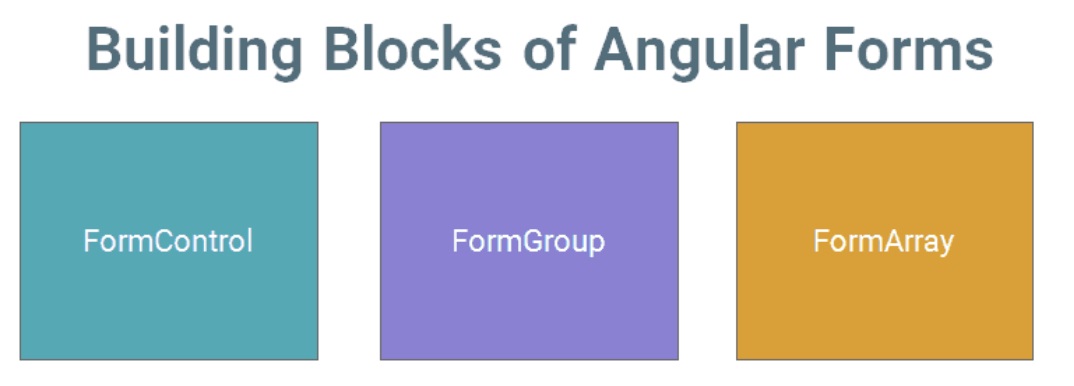
Building Blocks of Angular Forms

The Angular Forms module consists of three Building blocks, irrespective of whether you are using Template-driven or Reactive forms approach.
image

FormControl

A FormControl represents a single input field in an Angular form.

Consider a simple Text input box


First Name : <input type="text" name="firstname" />


As a developer, you would like to know the current value in the Text box. You would also be like to know if the value is valid or not. If the user has changed the value(dirty) or is it unchanged. You would like to be notified when the user changes value.

The FormControl is an object that encapsulates all this information related to the single input element. It Tracks the value and validation status of each of these control

The FormControl is just a class. A FormControl is created for each form field. We can refer them in our component class and inspect its properties and methods

You can use FormControl to set the value of the Form field, find the status of form field like (valid/invalid, pristine/dirty, touched/untouched ) etc & add validation rules to it.

The above input field is created using the FormControl as shown below

                              
let firstname= new FormControl(); //Creating a FormControl in a Reactive forms


Then, you can retrieve the current value in the input field using the value property


firstname.value   //Returns the value of the first name field


You can check the validation status of the First Name element as shown below


firstname.errors      // returns the list of errors
firstname.dirty       // true if the value has changed (dirty)
firstname.touched     // true if input field is touched
firstname.valid       // true if the input value has passed all the validation


FormGroup

FormGroup is a collection of FormControls. Each FormControl is a property in a FormGroup. with the control name as the key.

Often forms have more than one field. It is helpful to have a simple way to manage the Form controls together.

Consider the following Form. we have three input fields street,city & Pincode.


city : <input type="text" name="city" >
Street : <input type="text" name="street" >
PinCode : <input type="text" name="pincode" >


All of the above input fields are represented as the separate FormControl. If we wanted to check the validity of our form, we have to check the validity of each and every FormControl for validity. Imagine Form having large no of fields. It is cumbersome to loop over large no of FormControls and check for validity.

FormGroup solve’s this issue by providing a wrapper interface around a collection of FormGroup A FormGroup tracks the status of each child FormControl and aggregates the values into one object. with each control name as the key

We can group these input fields under the group address as shown below


let address= new FormGroup({
    street : new FormControl(""),
    city : new FormControl(""),
    pinCode : new FormControl("")
})


In the above example, the address is our FormGroup, consisting of 3 Form Controls city, street, and Pincode. Now we can check the validity of the entire group together. For example, if the state is invalid, then the address FormGroup returns the invalid state.

You can read the value of an address using the value method, which returns the JSON object as shown below


address.value


The Return value


address {
    street :"",
    city:"",
    Pincode:""
}


You can access child control as


address.get("street")


Check the Validation status as follows


address.errors     // returns the list of errors
address.dirty      // true if the value of one of the child control has changed (dirty)
address.touched    // true if one of the child control is touched
address.valid      // true if all the child controls passed the validation


A typical Angular Form can have more than one FormGroup. A FormGroup can also contain another FormGroup.

The Angular form is itself a FormGroup

FormArray

FormArray is an array of form controls. It is similar to FormGroup except for one difference. In FormGroup each FormControl is a property with the control name as the key. In FormArray is an array of form controls.

We define the FormArray as shown below


contactForm = new FormGroup( {
    name: new FormControl(''),
    cities:new FormArray([
      new FormControl('Mumbai'),
      new FormControl('Delhi')
    ])
  });


You can get the reference to the cities from the contactForm.get method


 cities() :FormArray {
    return this.contactForm.get("cities") as FormArray
  }


Check the Validation status as follows


cities.errors     // returns the list of errors
cities.dirty      // true if the value of one of the child control has changed (dirty)
cities.touched    // true if one of the child control is touched
cities.valid      // true if all the child controls passed the validation


Summary

In this tutorial, we learned what is Angular Forms all about. We looked at the basic building blocks of Angular Forms i.e. FormGroup,FormControl & FormArray. The Angular allows us to build Forms using two different approaches. One is Template Driven & another one is Reactive Forms or Model-driven. In the next few tutorials, we look at how to build Angular Forms using both of these options.

You can look at all the Angular Forms related from the Following Link
